How to Build a Full AI Film From 30 Clips — Cost, Character & Reaction
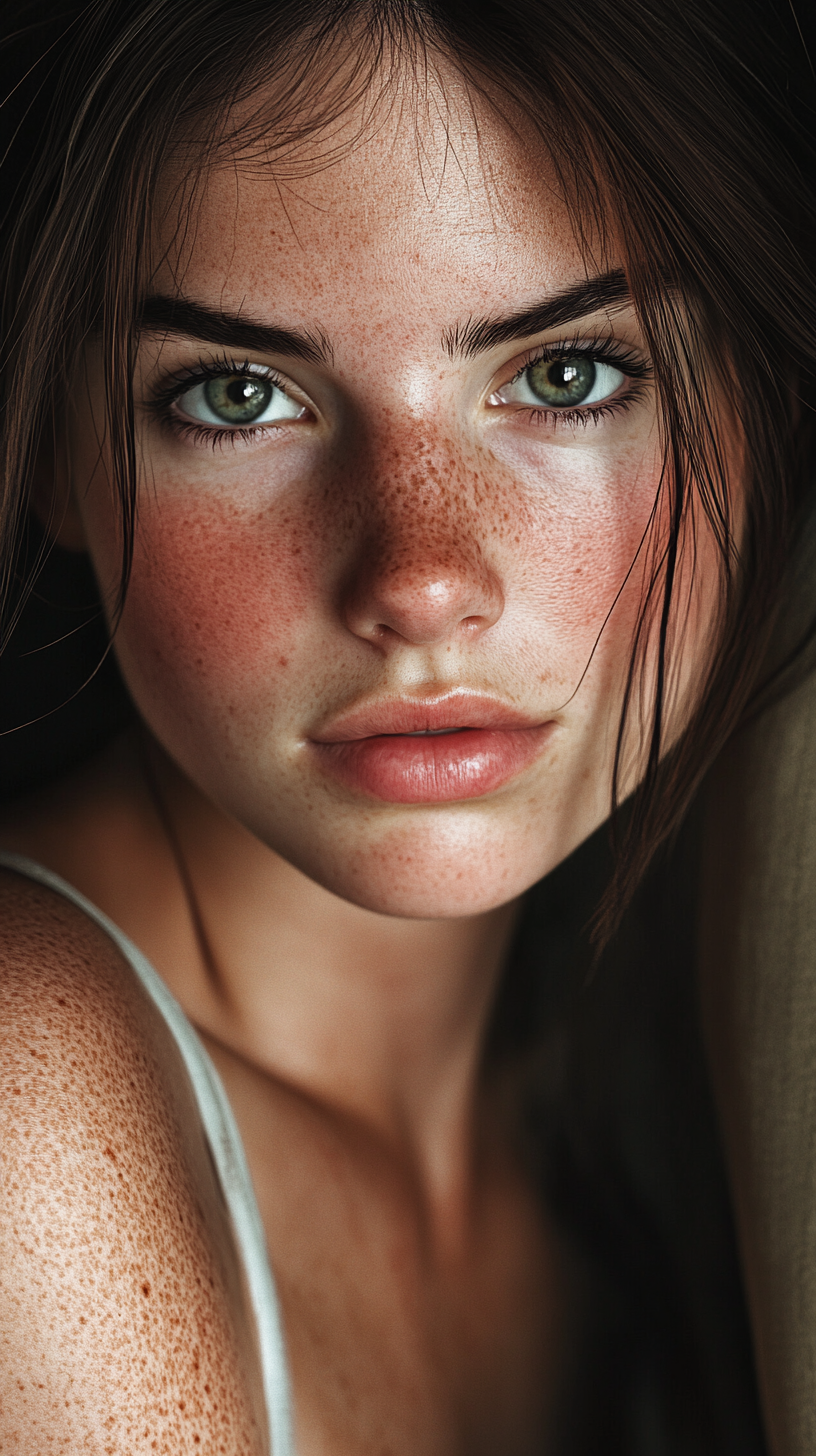
What if you could create a full short film — with a consistent character, multiple scenes, and a narrative arc — using nothing but AI? No actors, no cameras, no studio.
We did it. 30 clips. 10 seconds each. 5 minutes of pure AI cinema. Here's exactly how — and what it costs.
Step 1: Create Your Character
Before you generate a single frame, you need a consistent character. This is the hardest part — and the most important.
The Photo Dataset Method
Why 15-25 photos? The AI needs variety to understand your character from multiple angles. Too few photos = the AI only knows one angle. Too many with inconsistencies = the AI gets confused.
Character Sheet Essentials
Document your character before generating:
| Attribute | Example |
|-----------|---------|
| Age | 24 |
| Ethnicity | French-Italian |
| Hair | Dark brown, shoulder length |
| Eyes | Green-hazel |
| Skin | Light with freckles |
| Defining features | Freckles across nose and cheeks |
| Default expression | Natural, slightly pensive |
This becomes your prompt anchor — every scene prompt will reference these traits.
Cost of Character Creation
| Method | Cost | Time |
|--------|------|------|
| AI photo generation (25 photos, Pro) | $3.35 | 20 min |
| AI photo generation (25 photos, Flash) | $1.00 | 15 min |
| Midjourney (manual, ~25 images) | $10 subscription | 2-3 hours |
Step 2: Plan Your Scenes
A 5-minute film = 30 clips at 10 seconds each.
Don't just generate randomly. Plan a shot list like a real filmmaker:
Scene 1: Morning — waking up (2 clips)
Scene 2: Getting ready — mirror, coffee (3 clips)
Scene 3: City walk — street, crosswalk, subway (5 clips)
Scene 4: Work/creative space — laptop, drawing, thinking (4 clips)
Scene 5: Lunch break — cafe, reading, people watching (3 clips)
Scene 6: Afternoon adventure — park, shopping, exploring (5 clips)
Scene 7: Golden hour — rooftop, sunset, city views (4 clips)
Scene 8: Evening — dinner, friends, nightlife (3 clips)
Scene 9: Night — walking home, reflection (1 clip)
Pro tip: Vary your shot types:
- Close-up — emotion, facial detail
- Medium shot — action, interaction
- Wide shot — environment, establishing
- POV shot — immersion
Step 3: Generate the Clips
This is where it gets real. For each scene, write a detailed prompt:
Example prompt for Scene 3, Clip 1:
> "Cinematic shot of a 24-year-old woman with dark brown hair and freckles walking through a busy European city street, morning sunlight, shallow depth of field, slight wind in hair, wearing a beige trench coat, handheld camera movement, film grain"
Generation Settings
| Setting | Recommendation |
|---------|----------------|
| Duration | 10 seconds |
| Aspect ratio | 9:16 (for Reels/TikTok) or 16:9 (for YouTube) |
| Quality | Pro mode (worth the extra cost for a film) |
| Character reference | Upload 3-4 best photos from your dataset |
Expect Rejections
Not every clip will be perfect. Plan to generate 40-50 clips to get 30 keepers. That's a ~60-70% success rate, which is normal.
Common issues:
- Face drifts from character (regenerate with different reference photos)
- Weird hand/body physics (try different prompt wording)
- Lighting doesn't match adjacent scenes (add specific lighting cues to prompt)
Step 4: Stitch It Together
Once you have your 30 clips:
The Real Cost Breakdown
Let's do the math for a 30-clip film:
| Component | Budget Option | Pro Option |
|-----------|--------------|------------|
| Character photos (25) | $1.00 (Flash) | $3.35 (Pro) |
| Video clips (45, expect rejects) | $37.80 (Standard) | $50.40 (Pro) |
| Music license | $0 (free library) | $15/month |
| Video editor | $0 (CapCut/DaVinci) | $23/month (Premiere) |
| Total | ~$39 | ~$85 |
For $39-85 you get a 5-minute short film that would cost $5,000-50,000 with real production.
Even at the Pro tier, we're talking less than $3 per finished clip.
How Social Media Reacts
We've posted AI short films and the response is... polarizing. In the best way.
The Positive
- "This can't be AI" — the most common comment. People genuinely can't tell
- Massive engagement — controversial content = algorithm boost
- Shares and saves — people share AI content to blow their friends' minds
- Creator community love — other AI creators engage, collaborate, repost
The Negative
- "AI will replace actors" — ethical debate in comments (drives engagement)
- "I can tell it's AI" — some people spot artifacts (usually hands or physics)
- Uncanny valley — some viewers find it unsettling even if they can't explain why
The Numbers
From our experience posting AI films:
| Metric | AI Short Film | Regular AI Post |
|--------|--------------|------------------|
| Avg. views (Reels) | 15-50K | 2-8K |
| Engagement rate | 8-12% | 3-5% |
| Save rate | 4-7% | 1-2% |
| Share rate | 3-5% | 0.5-1% |
| Comments | 50-200+ | 10-30 |
AI films consistently outperform single clips because they tell a story. The algorithm rewards watch time, and a compelling narrative keeps people watching.
Best Platforms for AI Films
See It In Action
Here's a clip from our latest AI character — a 24-year-old French-Italian woman generated entirely with AI:
Every frame is AI-generated. No actress. No camera. No studio.
And here's another example — a completely different style generated on Musebox:
Same character, different vibe. One generation, endless possibilities.
Want to see the full film with this character? Let us know in the comments on our socials — if there's enough interest, we'll release the complete 5-minute cut.
Quick Start Checklist
- [ ] Create character dataset (15-25 reference photos)
- [ ] Document character sheet (features, style, mood)
- [ ] Write shot list (30 scenes with descriptions)
- [ ] Generate clips (expect 40-50 attempts for 30 keepers)
- [ ] Edit in CapCut or DaVinci Resolve
- [ ] Add music and sound design
- [ ] Color grade for consistency
- [ ] Export and post
Total time: 1-2 days. Total cost: $39-85. Result: a short film that looks like it cost thousands.
Ready to create your AI character? Start generating for free →
Follow our AI film journey:
- Instagram: @museboxai
- TikTok: @museboxai
- Threads: @musebox_ai
- X: @MuseboxAi
Stay Connected
Follow us for daily AI generation tips, tutorials, and creative inspiration: