New Feature: Add Audio to Your AI Videos

New Feature: Add Audio to Your AI Videos
Your AI videos just got a whole new dimension. We're excited to announce Audio — a brand-new feature that adds AI-generated sound directly to your video creations.
No more silent clips. Now every video you generate can come with synchronized audio that matches the visual content.
How It Works
Using Audio is simple:
The AI first generates your video, then analyzes the visual content and creates matching audio — all automatically. The sound is synced to what's happening on screen.
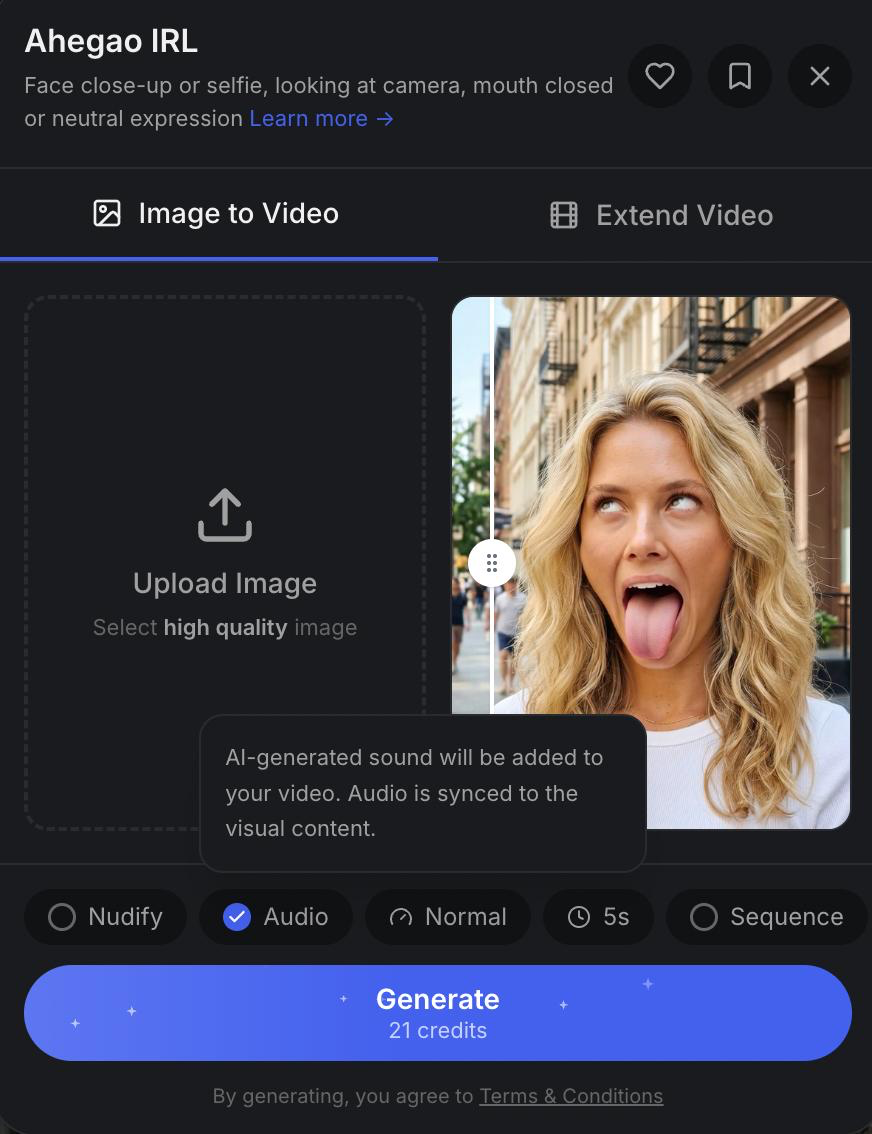
Just check the Audio toggle before generating — it's that easy.
Available for All Subscribers
Audio is available for all active subscribers. If you're not subscribed yet — now is the perfect time to upgrade and try it out.
Tips for Best Results
- Works with all video templates — try it on different styles to hear how the AI interprets each scene
- Combines with other features — you can use Audio together with Nudify, Extend, and Sequence
- AI-generated audio — the sound is created by AI based on the visual content, not uploaded by you
- Best with motion — templates with more movement tend to produce more dynamic, interesting audio
What's Next?
This is just the beginning for audio on Musebox. We're working on more audio features, including custom music uploads and longer audio support.
Try it now and let us know what you think.
Follow us for updates: